From Finding a G2 Blueprint to Using it: Lessons From Our Marketing Team Dogfooding
Updated

An AI skill, a Blueprint, a folder full of files. Easy enough to find. Then what? You download it and suddenly have a few more questions: which tool do I open, where do these files go, and what information do I need to make this work?
A few weeks ago, we released G2 Blueprints to our own G2 Marketing team, a process often called dogfooding: using your own product to find out what works and what needs improving. We thought, why not talk to some of the people using it and see where they get stuck? New to G2 Blueprints? Read why we built it.
The G2 Blueprints team has been working with Mike Puglielli, our Director of Brand & Creative, and Charlie Albuery, our Customer Community & Education Manager. Mike was already collecting skills people had built and keeping them fresh. Charlie’s work includes customer demos and community spotlight posts, and he’s been turning repeatable tasks into skills in Claude.
They gave us a lot to work with. Mike had downloaded a Blueprint and wasn’t sure what to do next. Charlie showed us a workflow he actually uses, then tried some of the newer Blueprints experience.
If your marketing team is already sharing AI workflows, these conversations offer a few useful questions to ask before trying someone else’s. I wanted to share a few things we learned and what they’ve led us to build.
Start with the work someone needs to do
Mike made a useful point: people often know what they need help with, but they don’t know the name of the AI skill Blueprint they can use to help with their task.
That pushed us toward a more team-focused home page. In the version we’ve been testing, search starts with your team’s work, then looks across Marketing and the rest of the company. Relevant public Blueprints can show up too.
We’re also trying categories for work like writing and ad management. Mike liked the category tiles and cards that made the value of a Blueprint clearer. He also wanted to see more of what his teammates had built. Knowing the person behind a workflow gives you someone to ask.
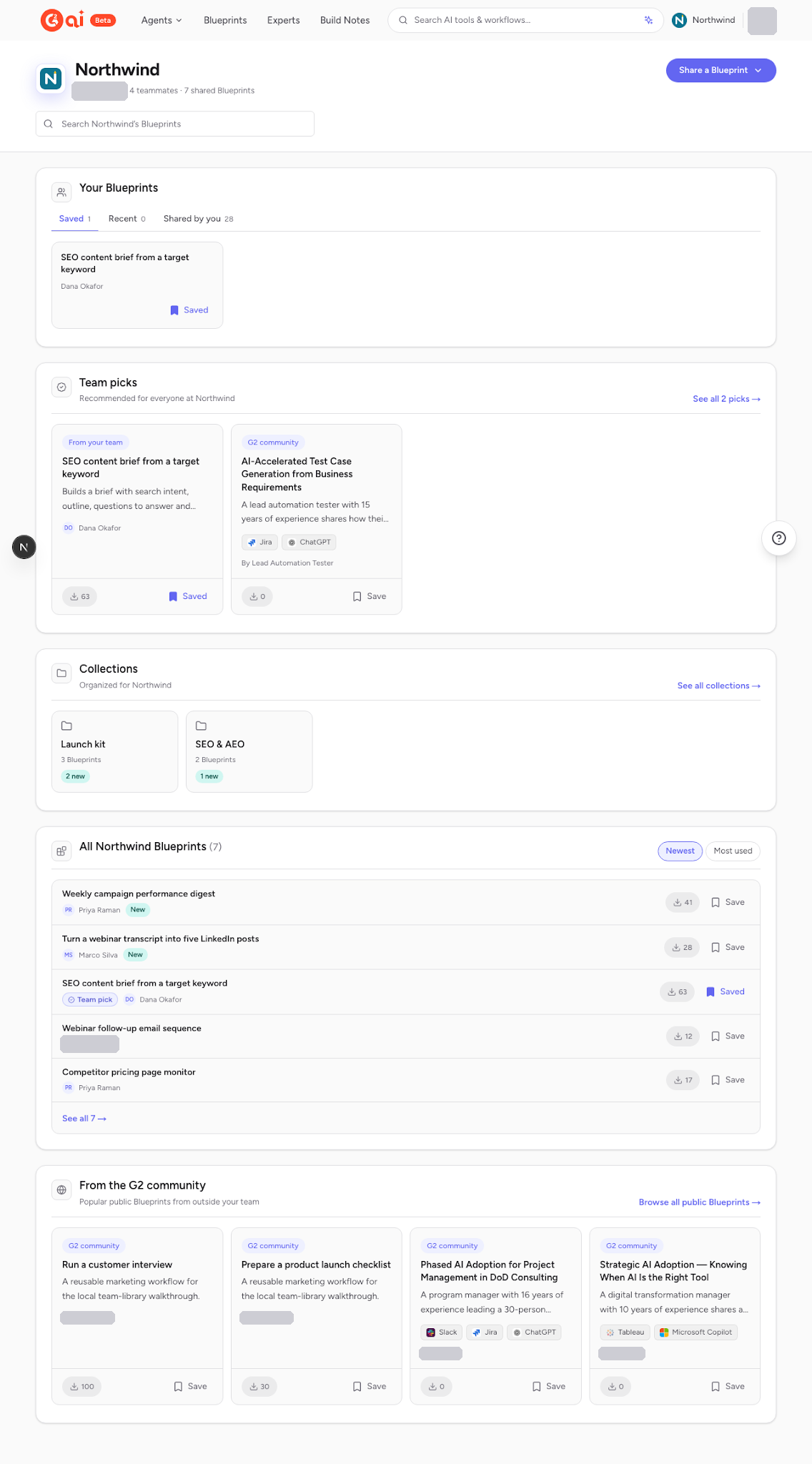
Before: Earlier team-home iteration, October 13. Library-style home with saved Blueprints, team picks and collections. Demonstration data.
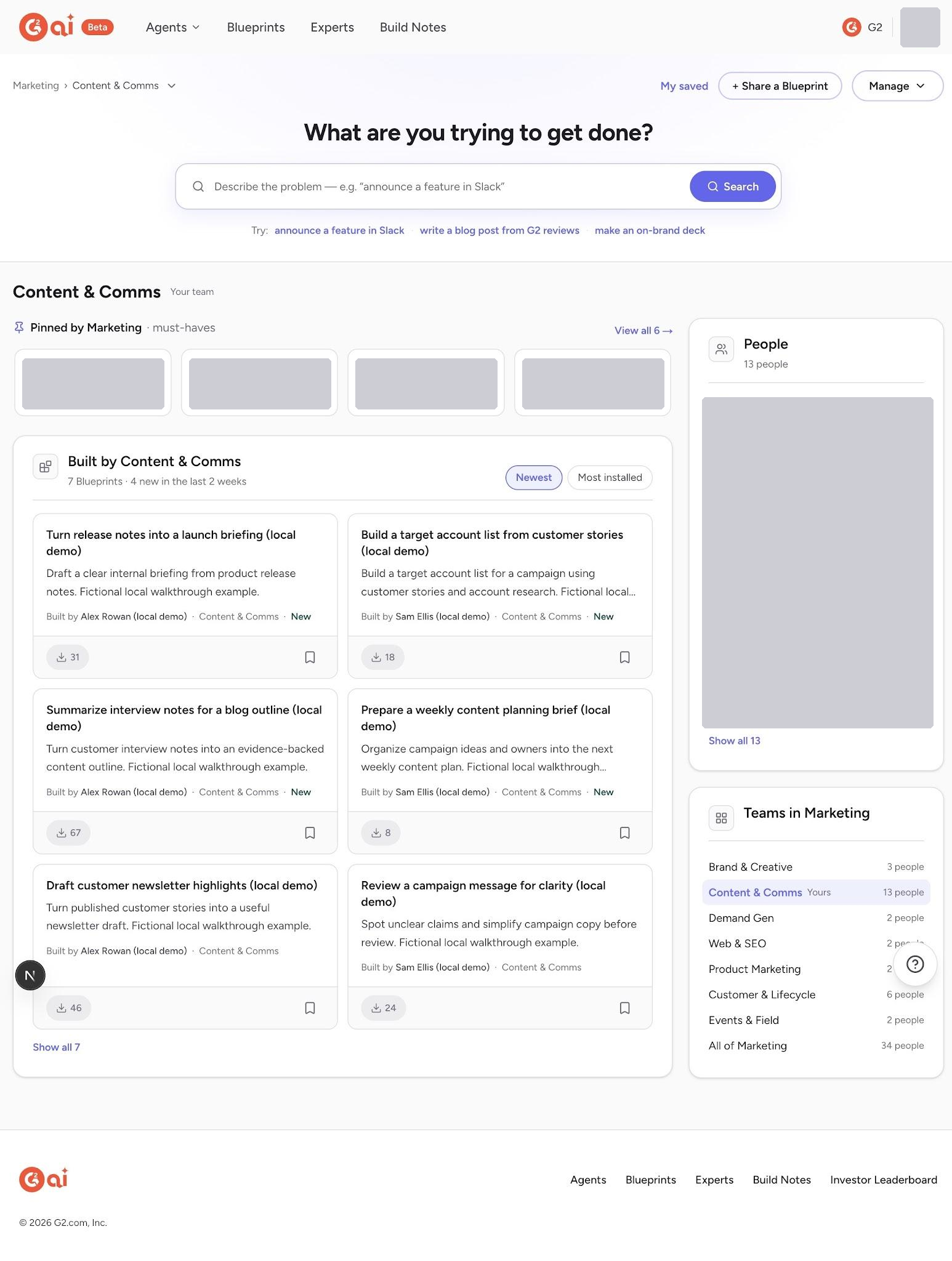
After: Search- and team-centered home, October 23. Search and teammates’ work move to the front. Staging, using demonstration data.
Make the workflow easier to understand
Charlie gave us a good example of what needs to happen after discovery.
For a community spotlight, his Claude workflow pulls an application from Google Sheets, creates a graphic using the person’s headshot, and drafts the post. He’ll do a task once, then ask Claude to turn the process into a skill he can use again.
That’s a much easier workflow to understand when you can see how the pieces fit together.
We’ve been working on a new Blueprint detail page that shows the workflow visually, with steps you can open to see more detail. It gives someone a way to get the gist before reading through all the instructions.
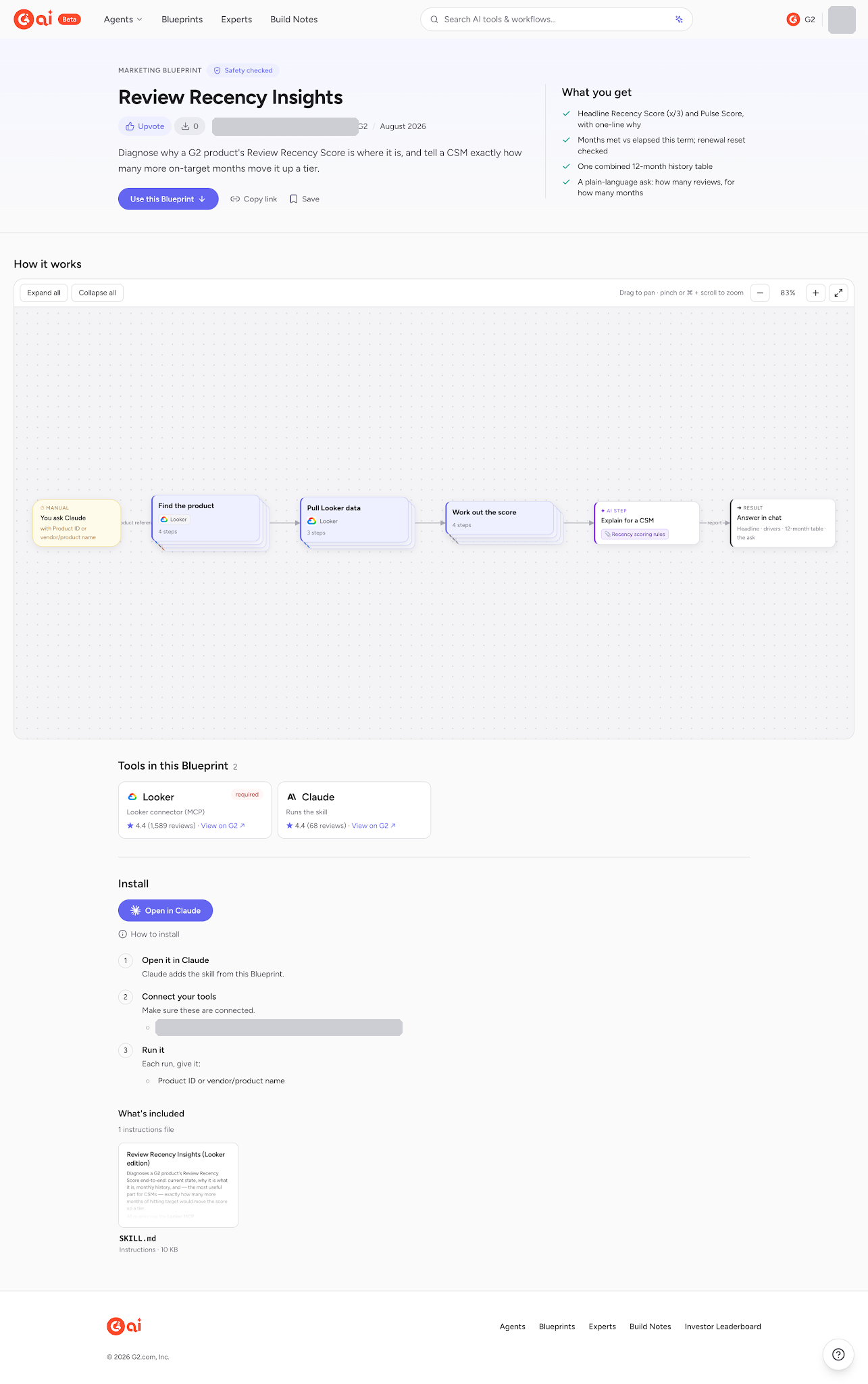
Workflow view: New Blueprint detail page, October 22. The Review Recency Insights example shows the workflow’s steps, inputs, tools and output. Staging. This is a separate example from Charlie’s spotlight workflow.
When the Blueprints team showed Charlie the box-and-arrow view, he found it much easier to follow than the text-based version. He could also recognize his own skill in the flow.
That’s encouraging. The next step is to put it in front of another marketer and see where they need help getting started. A clear diagram should help someone understand the work, but they’ll still need the right tools and setup to try it.
Why upload a skill when you can send a file in Slack?
Both conversations came back to something pretty familiar: useful skills are already being passed around in Slack and chat.
Mike’s question was fair. If someone can send a colleague a file, why would they take the extra step of uploading it somewhere?
Blueprints already has company spaces, so people can share workflows internally without making them public. The reason to put something there is to help the next person find it without having to know who to ask.
Alongside his own workflows in Claude, Charlie is already using Blueprints to save and share chained MCP prompts from customer demos. That gives him something to pass along after showing someone how it works.
There’s more we can do around that handoff. Charlie suggested asking about sharing right after someone creates a skill. He also raised the problem of keeping the shared version current when the original gets updated. Those are ideas we’re exploring.
He pointed out another practical detail: examples need cleaning up before they’re shared. Removing the author’s name doesn’t help much if someone else’s name or private meeting context is still in there.
Testing Blueprints inside Claude Desktop
Charlie mostly works in Claude Desktop. Asking him to leave that workflow every time he wants to find or share a Blueprint adds friction.
We’ve now built the MCP actions to search, read, install and create Blueprints from Claude. Charlie’s experience trying the upload flow gave us something specific to improve: routine permission prompts kept interrupting a task he would otherwise leave running. We want fewer unnecessary interruptions while keeping control over what gets shared.
We’re keeping this first round close to home. We’ve been testing the newer discovery and detail-page designs in staging, and working through the MCP experience with internal testers.
What we still need to test
The useful test now is whether someone can find a teammate’s workflow, get it working for their own task, and want to use it again.
Mike and Charlie have given us much better examples to test that with, and made the next round of product decisions a lot more concrete.
Where do you get stuck between finding a Blueprint and trying it?
Browse Blueprints at ai.g2.com/blueprints and tell us what's missing.
Comments
Questions about how this works? Ideas for what comes next? Join the discussion.
Loading comments…